For every Mac with a notch.
Your whole
menu bar.
The notch hides the icons you need. Notchless puts every one of them one click away.
The notch eats your menu bar.
macOS doesn't tell you.
When icons don't fit, macOS drops them. The apps keep running. You just can't reach them. On a 14-inch MacBook that happens with a dozen apps, a long app menu, or one wide icon.
Features
Built to stay out of the way.
Opens the way you work.
Click the icon next to the notch. Hover the notch itself. Or press a shortcut from anywhere. It closes on its own when the mouse leaves.
Light.
Native Swift. No Electron, no web view, no background polling.
Keyboard first.
Open it and start typing. Return opens the match. Arrows move. Esc closes.
Hidden items stand out.
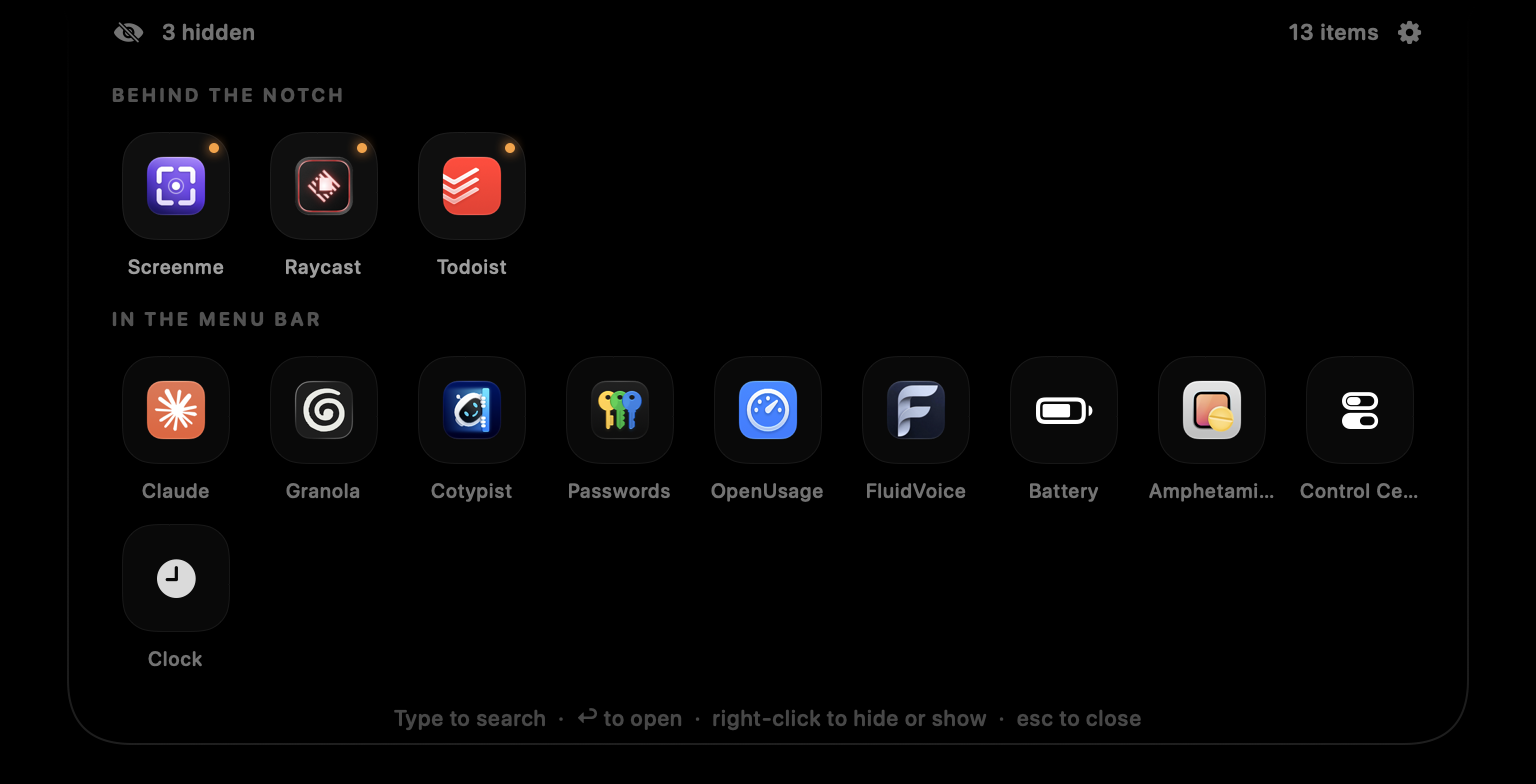
An orange dot marks every icon the notch is covering. Those sit on top, so you find them first.
Private.
No network code. No account. No analytics. It reads your menu bar through Accessibility and nothing leaves your Mac.
Set up in a minute.
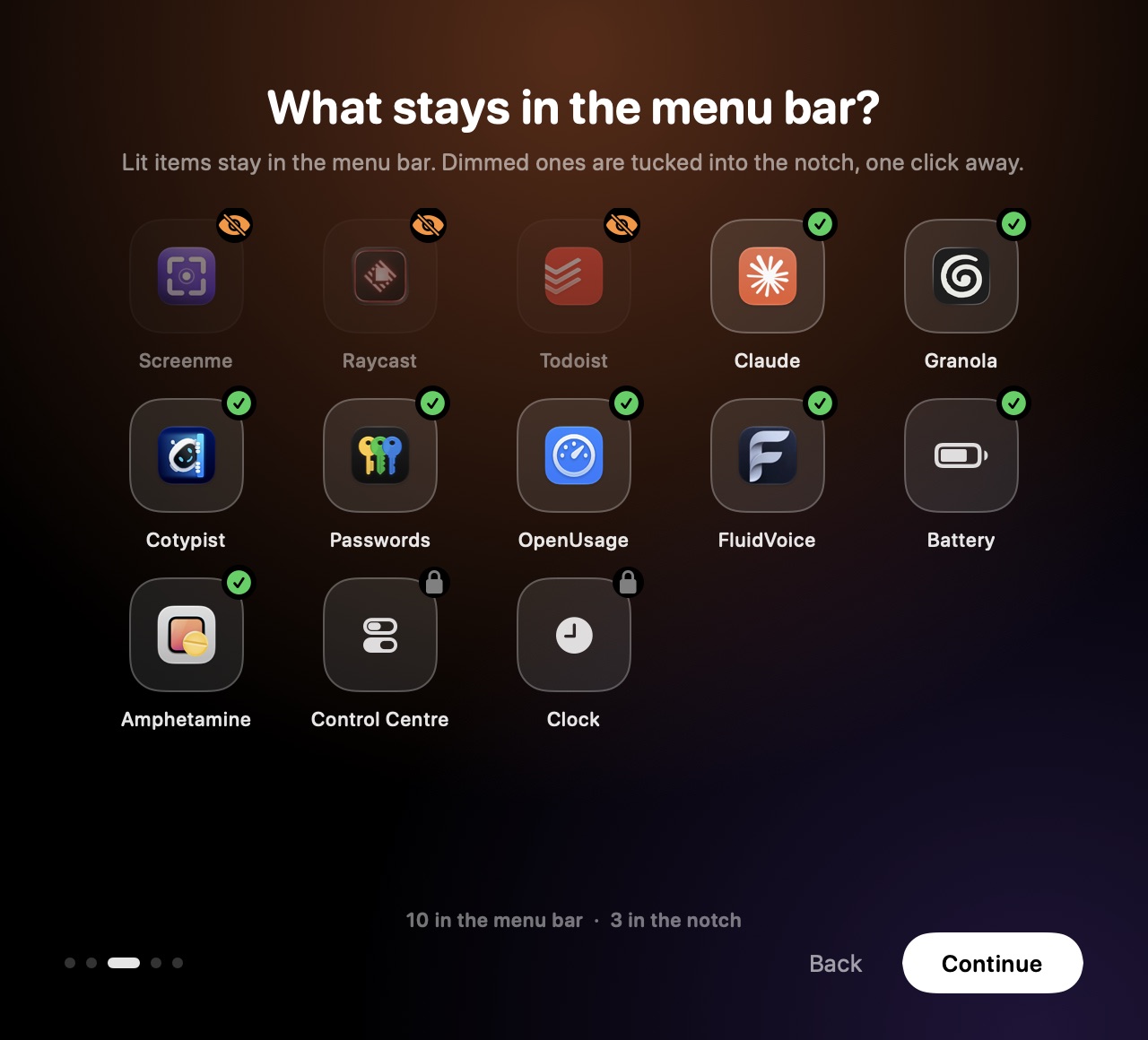
A short onboarding walks you through permission, how to open it, and which icons stay in the menu bar. Change any of it later in Settings. Launch at login is one switch.
Search
Find any icon by typing its name.
No hunting for a tiny glyph. Open Notchless, type the app name, press Return. The menu opens right where it lives.

You decide
Keep what you use. Tuck away the rest.
Pick which icons stay in the menu bar and which live behind the notch. Your menu bar gets quieter. Nothing gets lost.
How it works
Built on the Accessibility API.
Notchless asks macOS which icons exist and where they sit. Then it shows them in a panel that grows out of the notch.
It finds every icon.
Through the Accessibility API, including the ones macOS pushed off screen.
It shows them where you look.
The notch opens into a panel. Hidden icons first, the rest below.
It clicks for you.
Pick one and its real menu opens, as if you had clicked it in the menu bar.
Specs
Built for the notch.
Get your menu bar back.
Free to download, with no account to create.
First launch
- Unzip and drag Notchless to Applications.
- Open it. macOS will say it can't check the developer. The app isn't notarized yet.
- Go to System Settings › Privacy & Security and click Open Anyway.
- Allow Accessibility when asked. That's how it reads the menu bar.